Work project
Admissions and Scholarship Web Forms
From the institution's website to the CRM, without typing the application twice
Forms that institutions publish on their websites so an applicant can register, complete the application and upload documents, connected to the CRM through the integration services.
What it is about
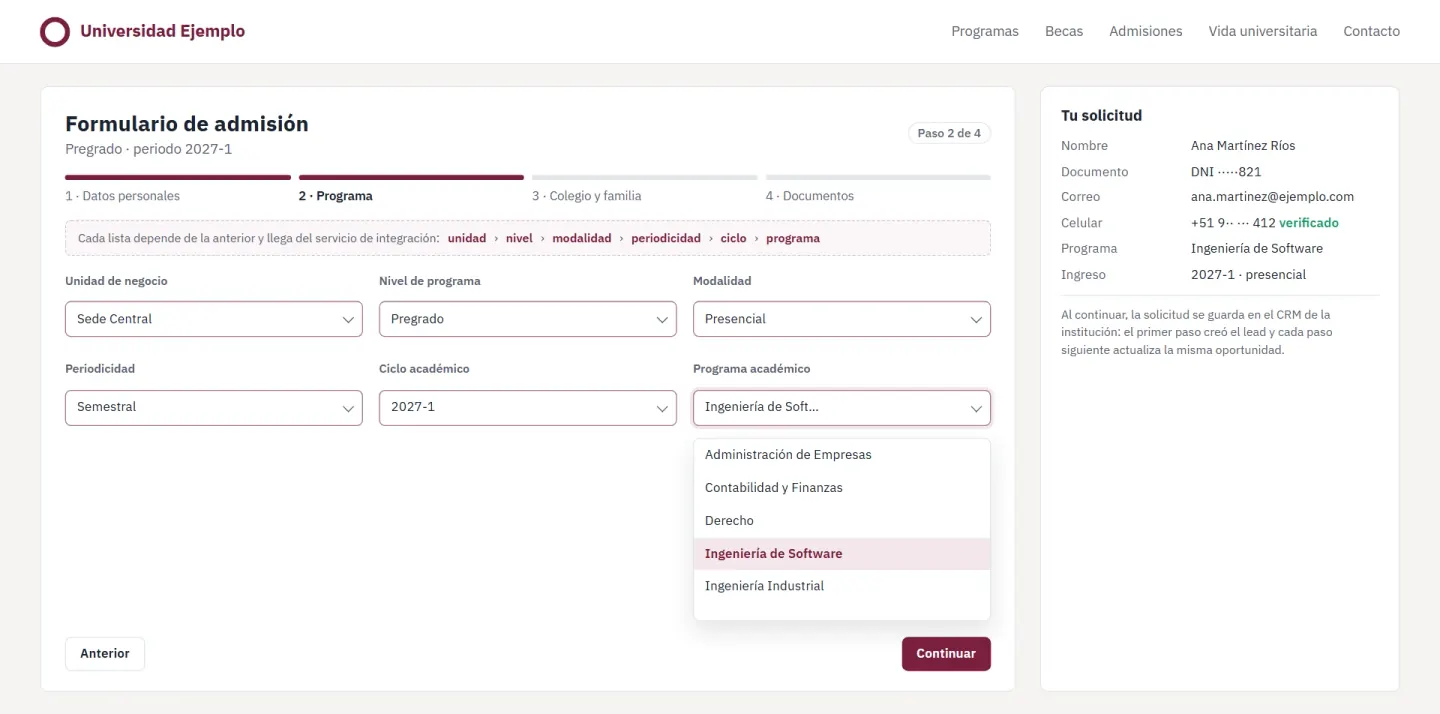
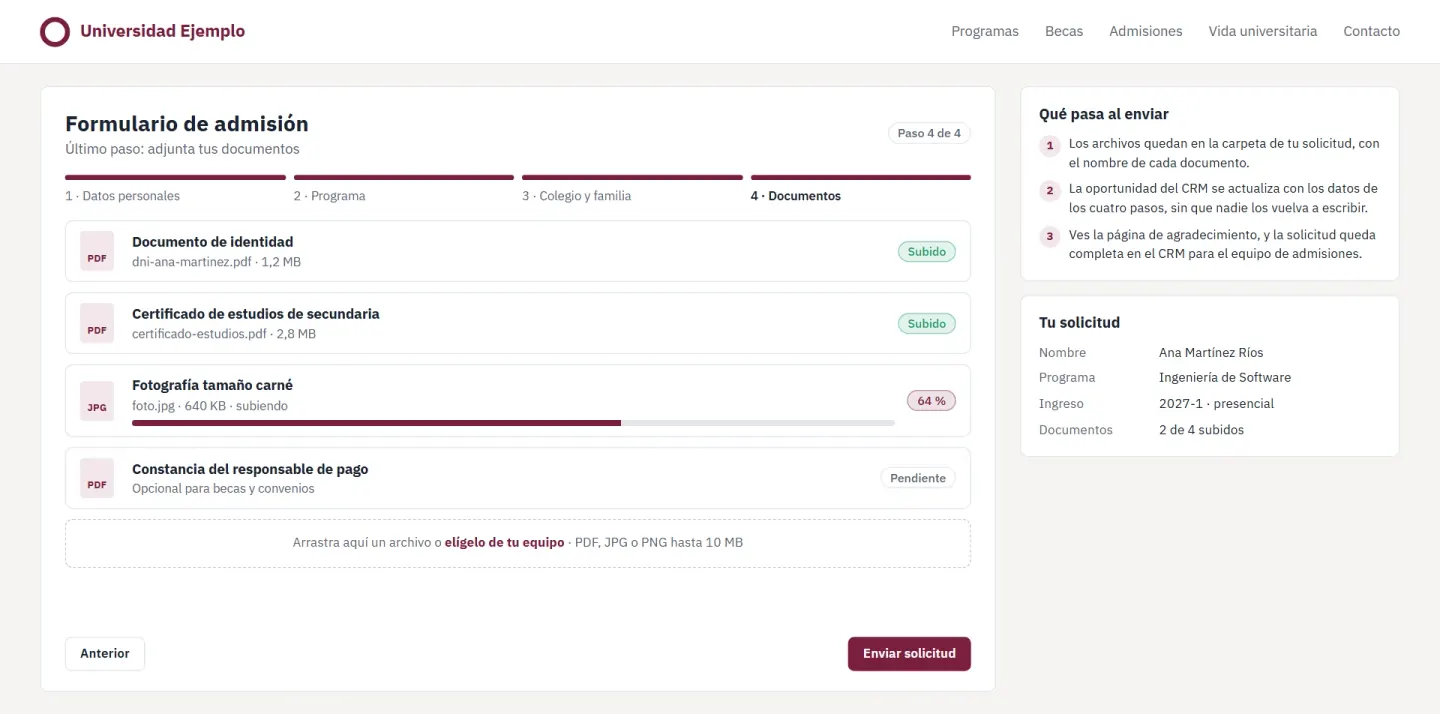
To apply, an applicant fills in forms on the institution's website. These forms create their record in Zoho CRM, update the opportunity with the full application and upload their documents, through each institution's integration services.
Each institution has its own, with its offering, its fields and its brand, and the shared script solves what all of them repeat, which is the UTM parameters and the cascading offering.
What it does
- A multi-page flow that goes from lead registration to the full application that updates the opportunity, document upload and a thank-you page.
- Cascading selects that load each institution's offering (unit, level, modality, schedule, term and program) from the academic hierarchy API.
- A shared script for the CRM's web forms that keeps the UTM parameters in hidden fields and preselects the program from the URL.
- Versions for undergraduate, graduate and continuing education, plus scholarship and family-relationship forms for the processes that need them.
- Validation in the browser, clear messages with SweetAlert2 and search in long lists with Select2.
How it works
From the form to the CRM
The form calls the institution's integration service, which writes to Zoho.
Institution's website
- Multi-page registration and application
- Document upload
- Shared script of the CRM's forms
Integration services
- Each institution's API
- Academic hierarchy
- File intake
Zoho
- Leads
- Opportunities
- Documents in Zoho WorkDrive
Decisions and their costs
Go through the integration service
Each institution has its own rules for validating and saving an application.
The offering comes from the API
With lists written into the HTML, every new program would mean editing the form.
Stack
Pick a technology to see the projects that use it.


