Case study
Email signatures that render everywhere
A signature generator for five brands that holds up in Outlook, Gmail and Apple Mail
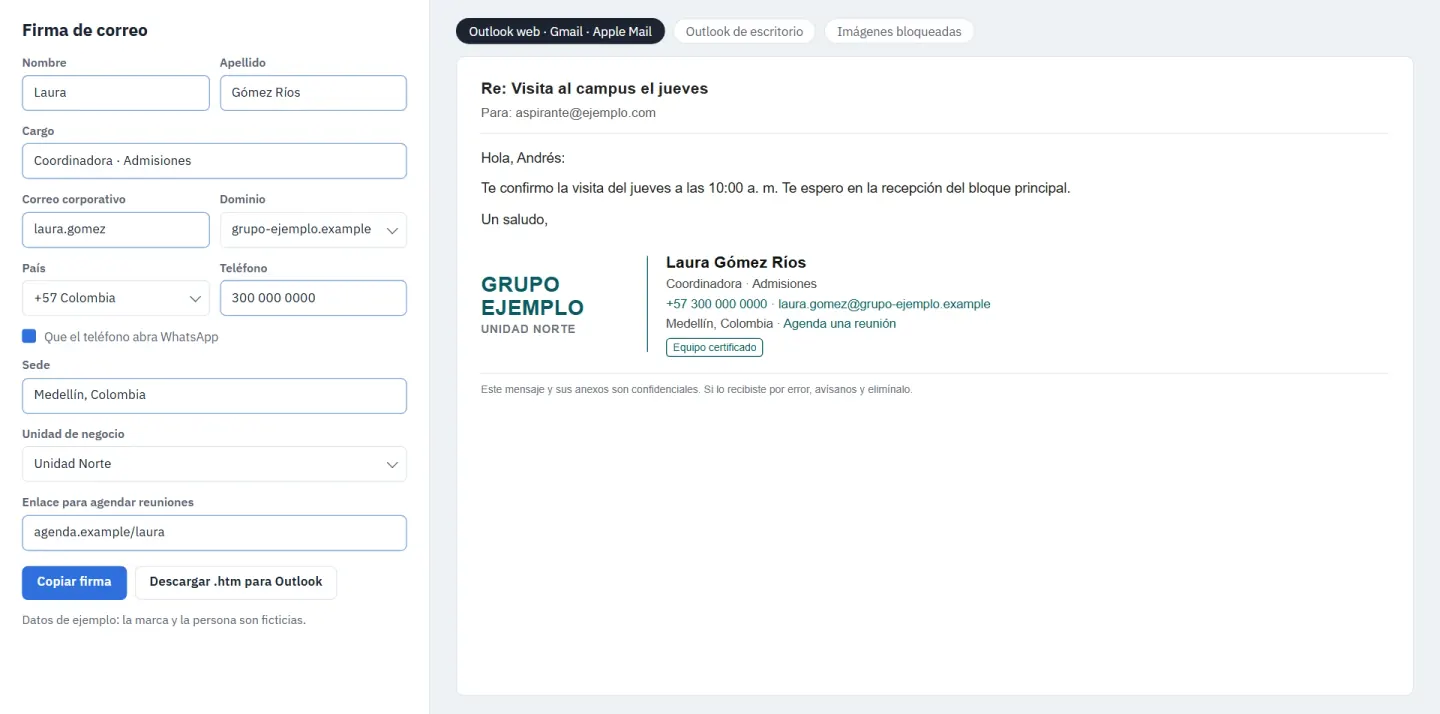
Each person fills a form, picks a business unit and copies a signature that holds up in every mail client. Desktop Outlook, which renders with Word, gets a typographic fallback measured to fit.
The problem
The group has five brands and wanted everyone to sign the same way. Mail clients disagree on almost everything, since desktop Outlook renders HTML with Word, Gmail strips data: images and embedded SVG, and cid: images only work when the image travels inside the message, which a pasted signature cannot do.
Constraints
- Signatures are pasted into the mail client, so nothing can be attached.
- Desktop Outlook renders with Word, so there is no embedded SVG, WebP, flexbox or grid.
- Five brands, three themes and certification badges.
What I built
- A FastAPI and Jinja2 service with a form, a catalog of every brand and theme, an Outlook .htm download, and a batch endpoint that turns the team's CSV into a ZIP with one signature per person.
- Each logo goes out twice, in blocks that exclude each other, as a hosted image for Outlook on the web, Gmail, Apple Mail and Thunderbird, and as the brand name in Arial Bold for desktop Outlook.
- The fallback name is measured with an Arial Bold width table and shrunk one pixel at a time until it fits the 148 px column.
- An audit script renders every combination of brand, theme and badge and fails on anything a mail client would break, such as data: images, sources outside HTTPS, images without width, height or alt, or a logo without its Outlook fallback.
Architecture
From a form to every inbox
Each signature carries the fallbacks that each kind of mail client needs.
Input
- Form for one person
- CSV for the whole team
FastAPI and Jinja2 service
- Brand rules and themes
- Wordmark measured to fit
- Compatibility audit
Output
- Copy and paste
- Outlook .htm file
- ZIP with one signature per person
Mail clients
- Hosted logo in Outlook on the web, Gmail and Apple Mail
- Brand name in text in desktop Outlook
- Alt text when images are blocked
Decisions and trade-offs
Hosted images over embedded ones
Gmail and Outlook drop embedded SVG, Gmail strips data: images, and a pasted signature cannot carry attachments.
One theme for everyone
The group wanted everyone to sign alike, and the generator offered three themes.
Results
- Five brands served from one service, with a batch mode for the whole team.
- An audit that checks every combination of brand, theme and badge after each template change.
Stack
Pick a technology to see the projects that use it.


